
Set CRM Handoffs Before You Build the Pipeline
A practical sequence for defining inquiry ownership, next actions and sales-to-service handoffs before choosing CRM stages or automation.
The approach
The short answer
Decide who owns each inquiry, what action keeps it moving, and what information the next team needs before configuring CRM stages or automation. Then check whether a prospective CRM represents those rules clearly—including how records and reporting behave when work crosses pipelines.
This guidance draws on selected vendor documentation, not hands-on product testing or measured service-business outcomes.
Map the work before naming CRM stages
Start with the work your team actually performs, from first inquiry through the point when service takes over. List the people or roles involved, the decision that advances the work, and the information needed at each step. Treat CRM stages as a representation of that process, not as a substitute for defining it.
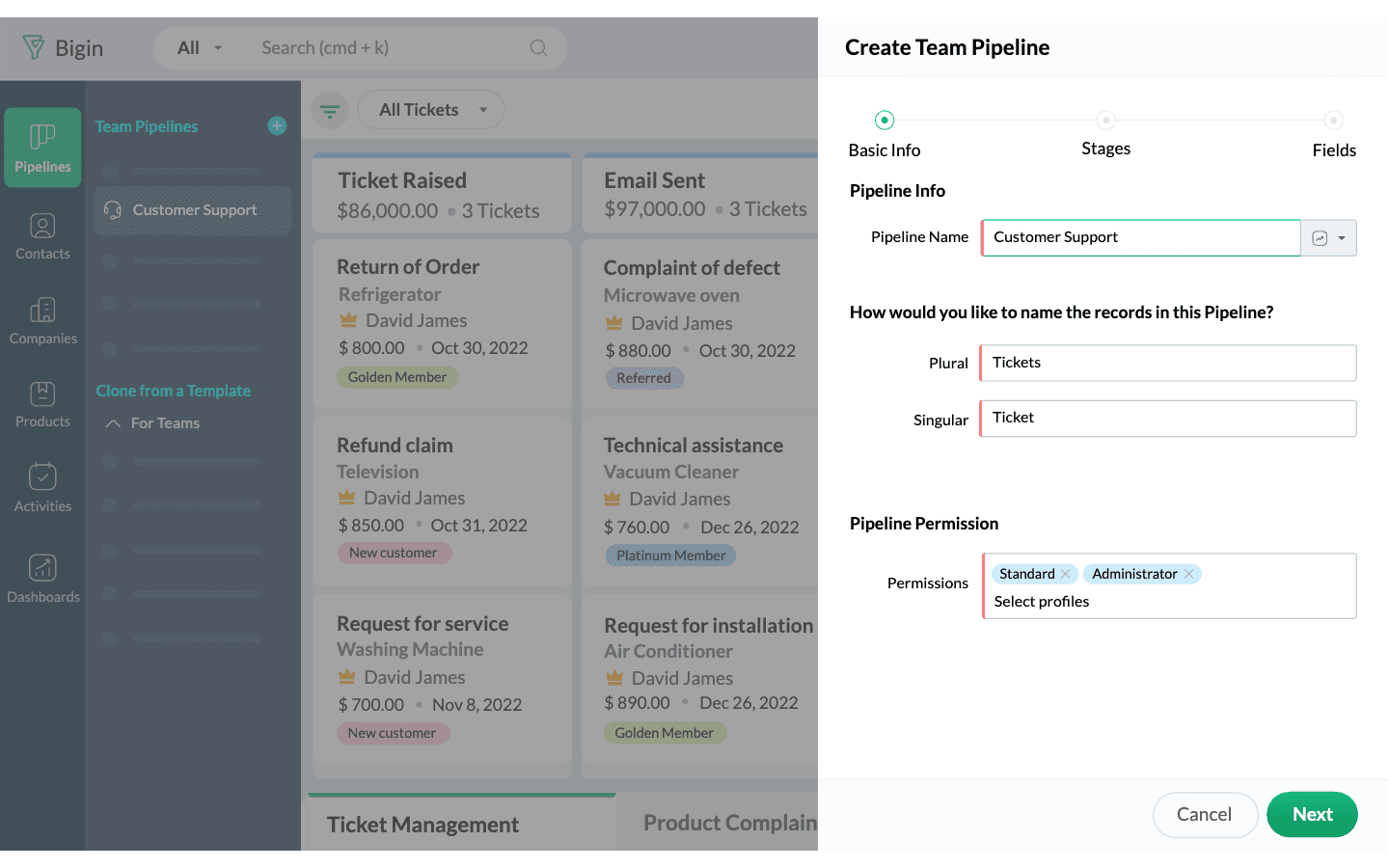
Decide whether sales and service need separate workflows, distinct record types, or different access. Bigin’s documentation describes separate pipelines and sub-pipelines for customer-facing operations, with customizable stages and fields and team access controls. Pipedrive and HubSpot document customizable sales pipelines and stages. These are examples of capabilities to verify, not recommendations about which product fits your business.
- Write down the entry point and the meaningful progress or outcome states for an inquiry.
- Name the role responsible at each state and the event that signals a handoff.
- Identify what each team needs to know and which records or details should have restricted access.
- Keep the workflow as simple as your process allows; add a stage only when it represents a meaningful distinction for your team.
Make ownership visible at every step
For each active inquiry, define one accountable role for the next move—even when several people can contribute. Also decide when ownership changes: for example, at a defined sales outcome or when a service task is accepted. These are operating rules for your business to set; the selected vendor documentation does not establish a universal ownership policy.
Check how a CRM shows the person responsible and how team access works. Pipedrive’s help documentation says deal cards show an owner and describes controls for pipeline visibility. Bigin documents access controls by team pipeline. HubSpot describes assigning tasks to team members. Confirm that the exact records and permissions your teams need are available in the plan you are evaluating.
- Specify who owns a new inquiry before it is qualified or assigned onward.
- Define who accepts responsibility at each handoff and how an unaccepted handoff is handled.
- Separate accountability for the next action from permission to view or edit a record.
- Decide how ownership should appear to the people who need to act.
Give each active inquiry a clear next action
Agree on what makes an inquiry actionable: a specific task, an owner, and a timing rule chosen by your business. Set your own follow-up intervals based on your service and capacity; the documentation reviewed does not establish an appropriate response deadline for your business.
Pipedrive documents scheduling or completing activities from a deal card and sorting deals by next activity by default. HubSpot documents tasks and activities for tracking follow-up, and pipeline tools for assigning tasks. These features can be checked against your proposed routine, but their presence does not show that a team will consistently use them or achieve a particular result.
- Describe the action plainly, such as the call, estimate, or information request that needs to happen next.
- Set a business-defined timing rule and decide who changes it when circumstances change.
- Define what happens when an activity is completed, missed, or no longer relevant.
- Decide how often your team reviews records without a current next action.
Specify what sales passes to service
Write the handoff as a rule: what event triggers it, who receives the work, and what context that person needs. Decide whether service should continue the same record or begin a separate workflow, and identify what must be visible to both teams.
This distinction matters when evaluating CRM behavior. Bigin documents Connected Pipelines as creating connected records in another pipeline when a record reaches a specified stage; that is not the same as moving one record. Pipedrive’s help documentation says a deal can be moved to another pipeline, but its deal-progress reports reflect movements within the current pipeline. Decide how your team will review progress across a handoff before relying on pipeline reports.
- Choose a handoff trigger that the sending team can identify consistently.
- List the customer and job details the receiving team needs, then verify how they remain available after the handoff.
- Name the receiving owner and define how completion or an unresolved issue is communicated back.
- Document how records that are cancelled, delayed, or returned to sales should be handled.
Walk through the rules before building automation
Use realistic inquiry scenarios to check whether the proposed workflow makes sense from first contact through service. Ask a provider to demonstrate the specific records, ownership changes, activities, permissions, and reporting behavior your process requires. Treat the demo as a capability check, not proof of reliability or business results.
Your demo request
5 questionsNothing is sent from this page.
Limitations & context
How should a service business define inquiry ownership, next actions and sales-to-service handoffs before configuring a CRM?
- This guidance draws on selected vendor documentation, not hands-on product testing or measured service-business outcomes.
- Your inquiry volume, team structure, handoff frequency, access needs, and reporting requirements are not supplied; define them before deciding which workflow or CRM capabilities you need.
- Documentation does not establish current plan entitlement, automation reliability, usability, or integration behavior for a particular account. Verify these details with the provider.
6 source records
- HubSpot Free CRM: vendor product documentationwww.hubspot.com Captured
- Bigin Team Pipelines: vendor feature documentationwww.bigin.com Captured
- Bigin Connected Pipelines: vendor feature documentationwww.bigin.com Captured
- Pipedrive pipeline management: vendor feature documentationwww.pipedrive.com Captured
- Pipedrive pipeline view: vendor help documentationsupport.pipedrive.com Captured
- HubSpot pipeline management: vendor feature documentationwww.hubspot.com Captured