
CRM Handoff Worksheet: What to Verify Before Recommending
Record the client’s workflow, handoff rules, access needs and reporting tests before comparing HubSpot, Bigin and Pipedrive.
Resource overview
The short answer
Before recommending a CRM, document how the client’s inquiry moves between people and teams, what information must follow it, who can act on it, and how progress will be reviewed. Then test those requirements in the specific product and plan under consideration. Vendor documentation describes useful differences, but does not establish account-specific fit or performance.
This guidance is based on selected vendor documentation, not hands-on product testing or measured client outcomes.
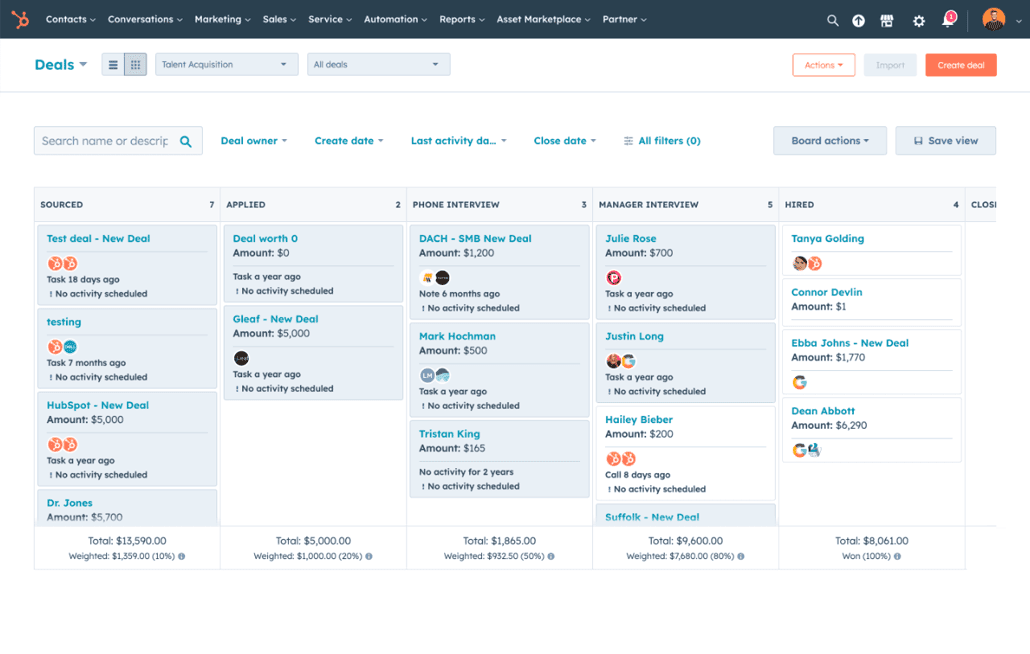
Record the client’s acceptance requirements
| Worksheet item | Record for this client | Acceptance test and evidence to keep |
|---|---|---|
| Workflow and stages | List the inquiry stages, the team responsible at each stage, and the event that ends one team’s work and starts the next team’s. | Ask the client to walk through a representative inquiry. Record the agreed stage names and handoff point; compare them with a configured example rather than assuming a generic sales pipeline matches. |
| Record and handoff model | Specify whether work should continue on one record or whether a separate record is needed for the receiving team. List the information that must be available after handoff. | Demonstrate the handoff and inspect the resulting record or records. Record whether required details are present and linked as expected; do not assume that creating a connected record copies particular fields. |
| Ownership and access | Name the roles that need to view, edit, assign, or restrict access to each workflow’s records. | Test the intended roles and permissions in the account. Record what each role can see and do; vendor documentation describes controls, but the client’s exact access setup still needs verification. |
| Next action and follow-up | Define what counts as the next action, who owns it, and what the team expects to see when reviewing an inquiry. | Use a representative record to schedule or complete an activity where the product supports it. Record how the next step appears and whether the client’s team can use it as intended. |
| Reporting and review | Write down the specific progress questions the client needs answered, including how handoffs or pipeline changes should be interpreted. | Run the relevant report using a test workflow and record its scope and any exclusions. Do not treat a visible dashboard or report as proof that it answers the client’s question. |
| Plan and integrations | List required integrations and the product edition the client is considering. | Verify availability and terms for the exact plan and account, then test required integration behavior. The cited feature pages do not establish current plan entitlement or account-specific integration behavior. |
Research detail
Complete this worksheet with the client before making a recommendation. Write down the expected behavior in the client’s own process terms, then record what was demonstrated, what remains unknown, and whether the requirement is accepted. These are proposed evaluation steps, not completed product tests.
- For each requirement, mark it as accepted, not accepted, or still unknown, and note who confirmed it.
- Keep the client’s stated need separate from a vendor’s feature description and from an observed test result.
6 supporting sources
- [1] HubSpot Free CRM: vendor product documentation
- [2] Bigin Team Pipelines: vendor feature documentation
- [3] Bigin Connected Pipelines: vendor feature documentation
- [4] Pipedrive pipeline management: vendor feature documentation
- [5] Pipedrive pipeline view: vendor help documentation
- [6] HubSpot pipeline management: vendor feature documentation
Use the documented differences to shape the test
For HubSpot, documentation describes customizable deal stages, moving deals between stages, assigning tasks, and creating deals from contact or company records. Its CRM documentation also describes contact activity and communication history. Test the client’s needed handoff and record context directly; these descriptions do not establish a particular cross-team automation or outcome.
Bigin documentation describes distinct pipelines for customer-facing operations, sub-pipelines, customizable stages and fields, and team access controls. Its Connected Pipelines documentation describes creating connected records in another pipeline when a record reaches a specified stage. Treat this as connected-record creation, not as proof that one record moves or that particular fields carry over.
Pipedrive documentation describes deal pipelines, activity scheduling from deal cards, and pipeline visibility controls. Its help documentation says a deal can exist in only one pipeline at a time and may be moved to another; deal-progress reports reflect movement within the current pipeline. Include that reporting boundary in the client’s acceptance test.
- For any option, test the same client workflow and record the exact configuration, account or plan used, expected behavior, observed behavior, and unresolved questions.
- Do not recommend a product solely because a documented feature sounds similar to the client’s need. Confirm the behavior, permissions, integrations, and plan terms relevant to the client.
Questions for a product walkthrough
Use questions like these to turn the worksheet into a focused demonstration. Ask the vendor to show the behavior in the product and account setup under consideration.
Your demo request
5 questionsMake the recommendation conditional on acceptance
Recommend HubSpot, Bigin, or Pipedrive only after comparing the client’s recorded requirements with verified behavior in the relevant account and plan. If a requirement cannot be demonstrated or confirmed, label it unknown and make it an open decision rather than assuming it is supported.
6 supporting sources
- [1] HubSpot Free CRM: vendor product documentation
- [2] Bigin Team Pipelines: vendor feature documentation
- [3] Bigin Connected Pipelines: vendor feature documentation
- [4] Pipedrive pipeline management: vendor feature documentation
- [5] Pipedrive pipeline view: vendor help documentation
- [6] HubSpot pipeline management: vendor feature documentation
Limitations & context
What should an agency record in a CRM handoff acceptance worksheet before recommending HubSpot, Bigin or Pipedrive to a service-business client?
- This guidance is based on selected vendor documentation, not hands-on product testing or measured client outcomes.
- The documentation does not establish current plan entitlements, account-specific integrations, feature reliability, usability, or fit for a particular client.
- The client’s inquiry volume, team size, workflow, access model, required fields, and reporting needs are not supplied; determine them before completing the worksheet.
6 source records
- HubSpot Free CRM: vendor product documentationwww.hubspot.com Captured
- Bigin Team Pipelines: vendor feature documentationwww.bigin.com Captured
- Bigin Connected Pipelines: vendor feature documentationwww.bigin.com Captured
- Pipedrive pipeline management: vendor feature documentationwww.pipedrive.com Captured
- Pipedrive pipeline view: vendor help documentationsupport.pipedrive.com Captured
- HubSpot pipeline management: vendor feature documentationwww.hubspot.com Captured