
Comparison · HVAC
HVAC CRM comparison for dispatch and repeat work
October 2026: compare 7 HVAC CRM tools and a managed growth option for dispatch, invoicing, follow-up and marketing.
What runs HVAC jobs and wins repeat work, and who does the growth work?
Each mark is one outcome, in the scorecard's order. Open an option to see each one named, with its note and source.
Housecall ProOpen for Housecall Pro on each outcome
Scheduling and dispatchIncluded
Basic includes scheduling and dispatch: schedule jobs, assign technicians and keep the field team on the working calendar.Source: Housecall Pro pricing ↗Quotes, estimates and invoicesIncluded
Basic includes estimates and invoicing. HVAC Essentials adds the sales proposal tool for presenting replacement options to customers.Source: Housecall Pro HVAC software ↗Payments collectedIncluded
Basic includes invoice and field payments. Card processing and bank payments carry transaction fees separate from the software subscription.Source: Housecall Pro pricing ↗Customer records and follow-upIncluded
The HVAC CRM organizes customer and equipment history and triggers tune-up reminders and follow-up campaigns; package inclusions differ.Source: Housecall Pro HVAC software ↗Lead captureIncluded
The HVAC CRM brings leads into a job inbox and tracks them to booking; HVAC Max adds Pipeline for lead automation.Source: Housecall Pro HVAC software ↗Review requestsIncluded
Basic lists review management; the HVAC CRM explicitly describes automatic review requests after completed repairs and installations.Source: Housecall Pro HVAC software ↗Local SEO and websiteAdd-on
Websites is a separately presented built-and-managed service. Confirm local SEO delivery; it is not established in the published package description.Source: Housecall Pro pricing ↗Google Ads managed for youNot stated
Managed Google Ads campaigns are not established in published documentation; online booking and a managed website do not establish paid-search management.One provider for marketing and the CRMPartly
CRM, review requests and an optional managed website come from Housecall Pro; managed local SEO and Google Ads delivery remain unestablished.Source: Housecall Pro pricing ↗
JobberOpen for Jobber on each outcome
Scheduling and dispatchIncluded
Core includes booking and scheduling; Jobber describes team scheduling and routing. Plus explicitly adds crew scheduling.Source: Jobber pricing ↗Quotes, estimates and invoicesIncluded
Core creates quotes and invoices. Connect adds automatic follow-ups; Grow adds richer quote presentation and optional service items.Source: Jobber pricing ↗Payments collectedIncluded
Core receives online invoice payments. Connect adds automatic payment collection; card and bank processing fees remain separate from subscriptions.Source: Jobber pricing ↗Customer records and follow-upIncluded
Connect combines Core customer and job records with automated client reminders and quote and invoice follow-ups; Grow adds custom automations.Source: Jobber pricing ↗Lead captureIncluded
Plus includes Receptionist for call and text intake and booking, plus Pipeline; these products are add-ons on lower plans.Source: Jobber pricing ↗Review requestsAdd-on
The pricing page references a Reviews add-on. Confirm its review-request workflow and cost before including it in your operating budget.Source: Jobber pricing ↗Local SEO and websitePartly
Core includes creating a website. Marketing Suite supplies a plan and content; managed local SEO is not established in published documentation.Source: Jobber pricing ↗Google Ads managed for youNot stated
Managed Google Ads campaigns are not established in published documentation; Marketing Suite's customized plan and content do not establish this service.One provider for marketing and the CRMPartly
CRM and a website are included, with marketing products available. Managed local SEO and Google Ads are not established in published documentation.Source: Jobber pricing ↗
FieldEdgeOpen for FieldEdge on each outcome
Scheduling and dispatchIncluded
Select includes scheduling and basic dispatching; Premier and Elite add advanced dispatching for the technician roster.Source: FieldEdge pricing ↗Quotes, estimates and invoicesIncluded
All plans include invoices. Select provides single-option quotes; Premier and Elite provide multi-option quotes for customer proposals.Source: FieldEdge pricing ↗Payments collectedIncluded
All plans list integrated payments. Technicians can collect on-site payments that sync with the office's invoice and customer records.Source: FieldEdge pricing ↗Customer records and follow-upIncluded
All plans list customer management, customer history, integrated SMS, automated alerts and reminders alongside their job and work-order records.Source: FieldEdge pricing ↗Lead capturePartly
All plans list call booking and lead tracking; Premier adds prospect tracking. Automated inbound qualification or routing is not established.Source: FieldEdge pricing ↗Review requestsNot stated
Post-job review requests are not established in published documentation; MarketingEdge's email and texting features do not establish that specific automation.Local SEO and websiteNot stated
A client website and managed local SEO are not established in published documentation; MarketingEdge describes email, text, forms and campaigns.Google Ads managed for youNot stated
Managed Google Ads campaigns are not established in published documentation; MarketingEdge's customer campaigns do not establish paid-search setup or ongoing management.One provider for marketing and the CRMPartly
CRM and MarketingEdge are available together, with MarketingEdge included in Elite; managed website, local SEO and Google Ads remain unestablished.Source: FieldEdge pricing ↗
Scheduling and dispatchIncluded
FlashCrafter states it schedules jobs and dispatches technicians through your configured CRM; not independently verified.Source: FlashCrafter product descriptionFlashCrafter states this about its own service; not independently verified.Quotes, estimates and invoicesIncluded on the Complete plan
FlashCrafter states it creates estimates and invoices; Complete includes Payment & Invoice Manager AI; not independently verified.Source: FlashCrafter product descriptionFlashCrafter states this about its own service; not independently verified.Payments collectedIncluded on the Complete plan
FlashCrafter states it collects payments on completed work through the configured operational tools; not independently verified.Source: FlashCrafter product descriptionFlashCrafter states this about its own service; not independently verified.Customer records and follow-upIncluded
FlashCrafter states it keeps customer records and automates follow-up, including Core Customer Loyalty AI; not independently verified.Source: FlashCrafter product descriptionFlashCrafter states this about its own service; not independently verified.Lead captureIncluded
FlashCrafter states Core Lead Finder AI identifies and qualifies inbound forms, calls and messages; not independently verified.Source: FlashCrafter product descriptionFlashCrafter states this about its own service; not independently verified.Review requestsIncluded
FlashCrafter states Core Review Booster AI requests reviews after jobs and routes customer replies; not independently verified.Source: FlashCrafter product descriptionFlashCrafter states this about its own service; not independently verified.Local SEO and websiteIncluded
FlashCrafter states it builds and maintains your website and manages local SEO and Google Business Profile; not independently verified.Source: FlashCrafter product descriptionFlashCrafter states this about its own service; not independently verified.Google Ads managed for youIncluded on the Complete plan
FlashCrafter states it manages Google Ads; Complete adds Ad Performance Manager AI for monitoring and adjustments; not independently verified.Source: FlashCrafter product descriptionFlashCrafter states this about its own service; not independently verified.One provider for marketing and the CRMIncluded on the Complete plan
FlashCrafter states its CRM, website, local SEO, Google Ads and review requests come from one provider; not independently verified.Source: FlashCrafter product descriptionFlashCrafter states this about its own service; not independently verified.
Each mark is one outcome, in the scorecard's order. Open an option to see each one named, with its note and source.
| Outcome | Housecall Pro | Jobber | FieldEdge | Our offerFlashCrafter |
|---|---|---|---|---|
| Scheduling and dispatch | Included: note and source for Housecall Pro on Scheduling and dispatchBasic includes scheduling and dispatch: schedule jobs, assign technicians and keep the field team on the working calendar.Source: Housecall Pro pricing ↗ | Included: note and source for Jobber on Scheduling and dispatchCore includes booking and scheduling; Jobber describes team scheduling and routing. Plus explicitly adds crew scheduling.Source: Jobber pricing ↗ | Included: note and source for FieldEdge on Scheduling and dispatchSelect includes scheduling and basic dispatching; Premier and Elite add advanced dispatching for the technician roster.Source: FieldEdge pricing ↗ | Included: note and source for FlashCrafter on Scheduling and dispatchFlashCrafter states it schedules jobs and dispatches technicians through your configured CRM; not independently verified.Source: FlashCrafter product descriptionFlashCrafter states this about its own service; not independently verified. |
| Quotes, estimates and invoices | Included: note and source for Housecall Pro on Quotes, estimates and invoicesBasic includes estimates and invoicing. HVAC Essentials adds the sales proposal tool for presenting replacement options to customers.Source: Housecall Pro HVAC software ↗ | Included: note and source for Jobber on Quotes, estimates and invoicesCore creates quotes and invoices. Connect adds automatic follow-ups; Grow adds richer quote presentation and optional service items.Source: Jobber pricing ↗ | Included: note and source for FieldEdge on Quotes, estimates and invoicesAll plans include invoices. Select provides single-option quotes; Premier and Elite provide multi-option quotes for customer proposals.Source: FieldEdge pricing ↗ | Included on the Complete plan: note and source for FlashCrafter on Quotes, estimates and invoicesFlashCrafter states it creates estimates and invoices; Complete includes Payment & Invoice Manager AI; not independently verified.Source: FlashCrafter product descriptionFlashCrafter states this about its own service; not independently verified. |
| Payments collected | Included: note and source for Housecall Pro on Payments collectedBasic includes invoice and field payments. Card processing and bank payments carry transaction fees separate from the software subscription.Source: Housecall Pro pricing ↗ | Included: note and source for Jobber on Payments collectedCore receives online invoice payments. Connect adds automatic payment collection; card and bank processing fees remain separate from subscriptions.Source: Jobber pricing ↗ | Included: note and source for FieldEdge on Payments collectedAll plans list integrated payments. Technicians can collect on-site payments that sync with the office's invoice and customer records.Source: FieldEdge pricing ↗ | Included on the Complete plan: note and source for FlashCrafter on Payments collectedFlashCrafter states it collects payments on completed work through the configured operational tools; not independently verified.Source: FlashCrafter product descriptionFlashCrafter states this about its own service; not independently verified. |
| Customer records and follow-up | Included: note and source for Housecall Pro on Customer records and follow-upThe HVAC CRM organizes customer and equipment history and triggers tune-up reminders and follow-up campaigns; package inclusions differ.Source: Housecall Pro HVAC software ↗ | Included: note and source for Jobber on Customer records and follow-upConnect combines Core customer and job records with automated client reminders and quote and invoice follow-ups; Grow adds custom automations.Source: Jobber pricing ↗ | Included: note and source for FieldEdge on Customer records and follow-upAll plans list customer management, customer history, integrated SMS, automated alerts and reminders alongside their job and work-order records.Source: FieldEdge pricing ↗ | Included: note and source for FlashCrafter on Customer records and follow-upFlashCrafter states it keeps customer records and automates follow-up, including Core Customer Loyalty AI; not independently verified.Source: FlashCrafter product descriptionFlashCrafter states this about its own service; not independently verified. |
| Lead capture | Included: note and source for Housecall Pro on Lead captureThe HVAC CRM brings leads into a job inbox and tracks them to booking; HVAC Max adds Pipeline for lead automation.Source: Housecall Pro HVAC software ↗ | Included: note and source for Jobber on Lead capturePlus includes Receptionist for call and text intake and booking, plus Pipeline; these products are add-ons on lower plans.Source: Jobber pricing ↗ | Partly: note and source for FieldEdge on Lead captureAll plans list call booking and lead tracking; Premier adds prospect tracking. Automated inbound qualification or routing is not established.Source: FieldEdge pricing ↗ | Included: note and source for FlashCrafter on Lead captureFlashCrafter states Core Lead Finder AI identifies and qualifies inbound forms, calls and messages; not independently verified.Source: FlashCrafter product descriptionFlashCrafter states this about its own service; not independently verified. |
| Review requests | Included: note and source for Housecall Pro on Review requestsBasic lists review management; the HVAC CRM explicitly describes automatic review requests after completed repairs and installations.Source: Housecall Pro HVAC software ↗ | Add-on: note and source for Jobber on Review requestsThe pricing page references a Reviews add-on. Confirm its review-request workflow and cost before including it in your operating budget.Source: Jobber pricing ↗ | Not stated: note and source for FieldEdge on Review requestsPost-job review requests are not established in published documentation; MarketingEdge's email and texting features do not establish that specific automation. | Included: note and source for FlashCrafter on Review requestsFlashCrafter states Core Review Booster AI requests reviews after jobs and routes customer replies; not independently verified.Source: FlashCrafter product descriptionFlashCrafter states this about its own service; not independently verified. |
| Local SEO and website | Add-on: note and source for Housecall Pro on Local SEO and websiteWebsites is a separately presented built-and-managed service. Confirm local SEO delivery; it is not established in the published package description.Source: Housecall Pro pricing ↗ | Partly: note and source for Jobber on Local SEO and websiteCore includes creating a website. Marketing Suite supplies a plan and content; managed local SEO is not established in published documentation.Source: Jobber pricing ↗ | Not stated: note and source for FieldEdge on Local SEO and websiteA client website and managed local SEO are not established in published documentation; MarketingEdge describes email, text, forms and campaigns. | Included: note and source for FlashCrafter on Local SEO and websiteFlashCrafter states it builds and maintains your website and manages local SEO and Google Business Profile; not independently verified.Source: FlashCrafter product descriptionFlashCrafter states this about its own service; not independently verified. |
| Google Ads managed for you | Not stated: note and source for Housecall Pro on Google Ads managed for youManaged Google Ads campaigns are not established in published documentation; online booking and a managed website do not establish paid-search management. | Not stated: note and source for Jobber on Google Ads managed for youManaged Google Ads campaigns are not established in published documentation; Marketing Suite's customized plan and content do not establish this service. | Not stated: note and source for FieldEdge on Google Ads managed for youManaged Google Ads campaigns are not established in published documentation; MarketingEdge's customer campaigns do not establish paid-search setup or ongoing management. | Included on the Complete plan: note and source for FlashCrafter on Google Ads managed for youFlashCrafter states it manages Google Ads; Complete adds Ad Performance Manager AI for monitoring and adjustments; not independently verified.Source: FlashCrafter product descriptionFlashCrafter states this about its own service; not independently verified. |
| One provider for marketing and the CRM | Partly: note and source for Housecall Pro on One provider for marketing and the CRMCRM, review requests and an optional managed website come from Housecall Pro; managed local SEO and Google Ads delivery remain unestablished.Source: Housecall Pro pricing ↗ | Partly: note and source for Jobber on One provider for marketing and the CRMCRM and a website are included, with marketing products available. Managed local SEO and Google Ads are not established in published documentation.Source: Jobber pricing ↗ | Partly: note and source for FieldEdge on One provider for marketing and the CRMCRM and MarketingEdge are available together, with MarketingEdge included in Elite; managed website, local SEO and Google Ads remain unestablished.Source: FieldEdge pricing ↗ | Included on the Complete plan: note and source for FlashCrafter on One provider for marketing and the CRMFlashCrafter states its CRM, website, local SEO, Google Ads and review requests come from one provider; not independently verified.Source: FlashCrafter product descriptionFlashCrafter states this about its own service; not independently verified. |
| Free Growth Brief |
IncludedPartlyAdd-onNot statedon FlashCrafter's Complete planOpen a mark for its note and source.
FlashCrafter publishes this comparison and is one of the options. FlashCrafter's column is what FlashCrafter states about its own service, not independently verified; the others come from each vendor's published pages. “Not stated” means those pages do not say, not that the vendor lacks it.
- 8 options compared
- 5 criteria
- Captured Oct 25, 2026
- How we compared
- All 8 options on these outcomes ↓
The short answer
Choose FlashCrafter for configured operations and managed growth; its claims are not independently verified. Choose Housecall Pro to run HVAC jobs yourself, or Jobber for a general service workflow. Compare FieldEdge for accounting and agreements, and Service Fusion for unlimited users.
For owners of independent US HVAC businesses comparing customer management, field operations and managed marketing.
Pick by what you need
Why these options, and what this comparison covers
Choose first whether you want to run the software and marketing yourself or have a provider set them up and manage the growth work. Housecall Pro and Jobber give owners tools to manage jobs and customers. FlashCrafter states it combines configured operational tools with a managed website, local SEO and marketing; those claims are not independently verified.
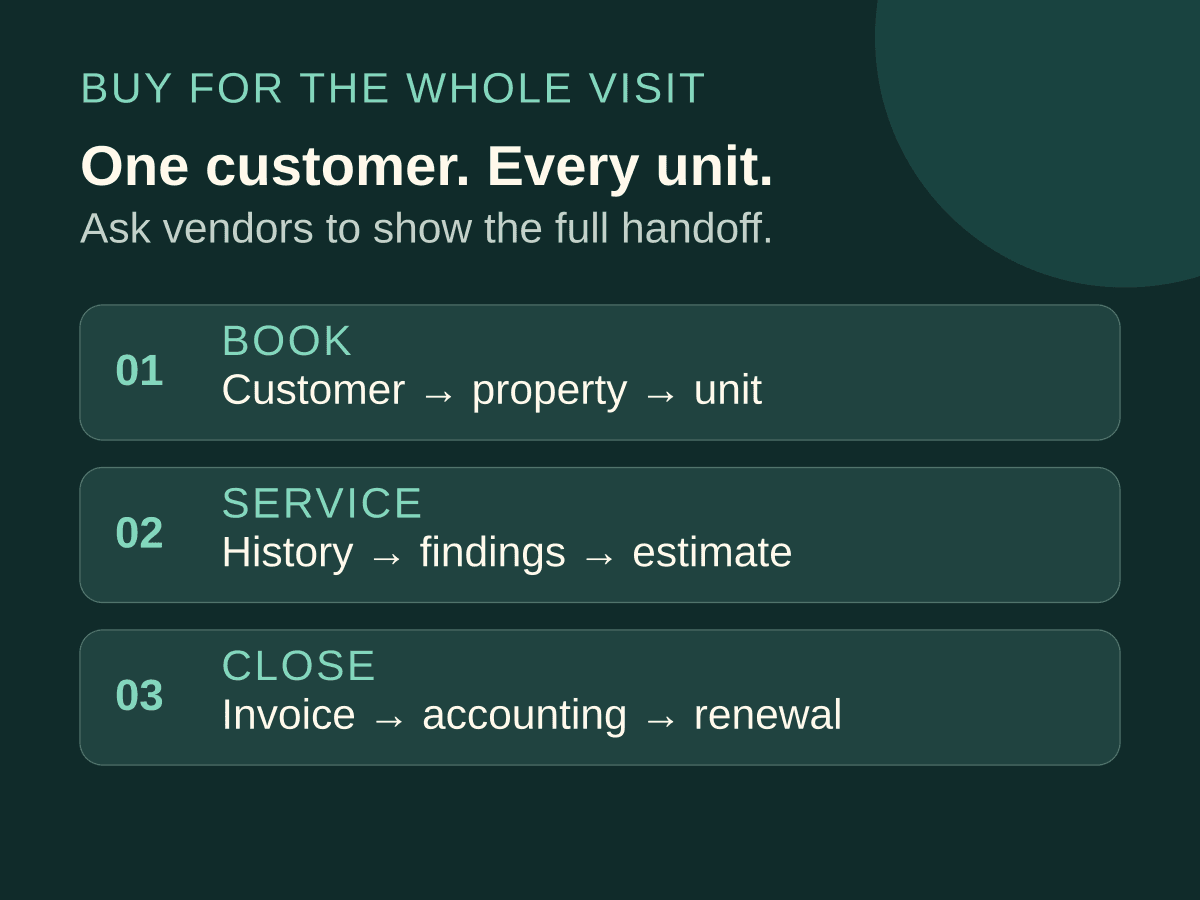
For HVAC, compare the complete job: capture the request, dispatch a technician, prepare the estimate, collect payment and follow up. Equipment history, maintenance agreements and accounting can change the required package. Commercial contractors should also request a demonstration of multi-site records and project billing before choosing.
Same outcomes, every option
All 8 options on what gets you customers
Each mark is one outcome, in the scorecard's order. Open an option to see each one named, with its note and source.
Housecall ProOpen for Housecall Pro on each outcome
Scheduling and dispatchIncluded
Basic includes scheduling and dispatch: schedule jobs, assign technicians and keep the field team on the working calendar.Source: Housecall Pro pricing ↗Quotes, estimates and invoicesIncluded
Basic includes estimates and invoicing. HVAC Essentials adds the sales proposal tool for presenting replacement options to customers.Source: Housecall Pro HVAC software ↗Payments collectedIncluded
Basic includes invoice and field payments. Card processing and bank payments carry transaction fees separate from the software subscription.Source: Housecall Pro pricing ↗Customer records and follow-upIncluded
The HVAC CRM organizes customer and equipment history and triggers tune-up reminders and follow-up campaigns; package inclusions differ.Source: Housecall Pro HVAC software ↗Lead captureIncluded
The HVAC CRM brings leads into a job inbox and tracks them to booking; HVAC Max adds Pipeline for lead automation.Source: Housecall Pro HVAC software ↗Review requestsIncluded
Basic lists review management; the HVAC CRM explicitly describes automatic review requests after completed repairs and installations.Source: Housecall Pro HVAC software ↗Local SEO and websiteAdd-on
Websites is a separately presented built-and-managed service. Confirm local SEO delivery; it is not established in the published package description.Source: Housecall Pro pricing ↗Google Ads managed for youNot stated
Managed Google Ads campaigns are not established in published documentation; online booking and a managed website do not establish paid-search management.One provider for marketing and the CRMPartly
CRM, review requests and an optional managed website come from Housecall Pro; managed local SEO and Google Ads delivery remain unestablished.Source: Housecall Pro pricing ↗
JobberOpen for Jobber on each outcome
Scheduling and dispatchIncluded
Core includes booking and scheduling; Jobber describes team scheduling and routing. Plus explicitly adds crew scheduling.Source: Jobber pricing ↗Quotes, estimates and invoicesIncluded
Core creates quotes and invoices. Connect adds automatic follow-ups; Grow adds richer quote presentation and optional service items.Source: Jobber pricing ↗Payments collectedIncluded
Core receives online invoice payments. Connect adds automatic payment collection; card and bank processing fees remain separate from subscriptions.Source: Jobber pricing ↗Customer records and follow-upIncluded
Connect combines Core customer and job records with automated client reminders and quote and invoice follow-ups; Grow adds custom automations.Source: Jobber pricing ↗Lead captureIncluded
Plus includes Receptionist for call and text intake and booking, plus Pipeline; these products are add-ons on lower plans.Source: Jobber pricing ↗Review requestsAdd-on
The pricing page references a Reviews add-on. Confirm its review-request workflow and cost before including it in your operating budget.Source: Jobber pricing ↗Local SEO and websitePartly
Core includes creating a website. Marketing Suite supplies a plan and content; managed local SEO is not established in published documentation.Source: Jobber pricing ↗Google Ads managed for youNot stated
Managed Google Ads campaigns are not established in published documentation; Marketing Suite's customized plan and content do not establish this service.One provider for marketing and the CRMPartly
CRM and a website are included, with marketing products available. Managed local SEO and Google Ads are not established in published documentation.Source: Jobber pricing ↗
ServiceTitanOpen for ServiceTitan on each outcome
Scheduling and dispatchIncluded
Starter, Essentials and The Works list scheduling and dispatching; the dispatch board assigns technicians to their jobs.Source: ServiceTitan pricing ↗Quotes, estimates and invoicesIncluded
Starter, Essentials and The Works list mobile estimates and invoicing alongside the pricebook used for pricing customer work.Source: ServiceTitan pricing ↗Payments collectedIncluded
ServiceTitan lists Payments and online bill pay, including customer portal invoice payments; confirm payment terms in your package quote.Source: ServiceTitan features ↗Customer records and follow-upIncluded
Customer and job history sit alongside automated SMS and service reminders; proposals support follow-up on estimates customers have not accepted.Source: ServiceTitan features ↗Lead captureIncluded
Starter lists call booking; the broader service describes web, chat and call booking plus pipeline management from lead to close.Source: ServiceTitan pricing ↗Review requestsNot stated
Automated post-job review requests are not established in published documentation; customer communications and marketing tools alone do not establish them.Local SEO and websiteNot stated
A website built for the client together with managed local SEO is not established in published documentation; marketing reporting is described separately.Google Ads managed for youPartly
Adaptive Marketing reports campaign statistics and ties spending to revenue. Client Google Ads setup and management are not established.Source: ServiceTitan pricing ↗One provider for marketing and the CRMPartly
CRM, customer communications and marketing reporting share the platform; managed website, local SEO and Google Ads delivery are not established.Source: ServiceTitan features ↗
FieldEdgeOpen for FieldEdge on each outcome
Scheduling and dispatchIncluded
Select includes scheduling and basic dispatching; Premier and Elite add advanced dispatching for the technician roster.Source: FieldEdge pricing ↗Quotes, estimates and invoicesIncluded
All plans include invoices. Select provides single-option quotes; Premier and Elite provide multi-option quotes for customer proposals.Source: FieldEdge pricing ↗Payments collectedIncluded
All plans list integrated payments. Technicians can collect on-site payments that sync with the office's invoice and customer records.Source: FieldEdge pricing ↗Customer records and follow-upIncluded
All plans list customer management, customer history, integrated SMS, automated alerts and reminders alongside their job and work-order records.Source: FieldEdge pricing ↗Lead capturePartly
All plans list call booking and lead tracking; Premier adds prospect tracking. Automated inbound qualification or routing is not established.Source: FieldEdge pricing ↗Review requestsNot stated
Post-job review requests are not established in published documentation; MarketingEdge's email and texting features do not establish that specific automation.Local SEO and websiteNot stated
A client website and managed local SEO are not established in published documentation; MarketingEdge describes email, text, forms and campaigns.Google Ads managed for youNot stated
Managed Google Ads campaigns are not established in published documentation; MarketingEdge's customer campaigns do not establish paid-search setup or ongoing management.One provider for marketing and the CRMPartly
CRM and MarketingEdge are available together, with MarketingEdge included in Elite; managed website, local SEO and Google Ads remain unestablished.Source: FieldEdge pricing ↗
Service FusionOpen for Service Fusion on each outcome
Scheduling and dispatchIncluded
Starter, Plus and Pro include scheduling and dispatching, with unlimited users and a technician app for receiving jobs.Source: Service Fusion pricing ↗Quotes, estimates and invoicesIncluded
Starter, Plus and Pro include estimates, jobs and invoicing. Progress billing and recurring invoicing are included in Pro.Source: Service Fusion pricing ↗Payments collectedIncluded
All plans include integrated payments and payment processing. Service Fusion describes collecting customer payments online and in the field.Source: Service Fusion pricing ↗Customer records and follow-upIncluded
Starter includes customer management, job records and text messaging alerts; Plus and Pro inherit these customer communication and operational tools.Source: Service Fusion pricing ↗Lead captureNot stated
Inbound lead qualification and routing are not established in published documentation; scheduling and customer management do not settle that workflow.Review requestsNot stated
The menu lists reputation management, but post-job review requests and their plan or add-on terms are not established in published documentation.Local SEO and websiteNot stated
Website construction and managed local SEO are not established in published documentation; the operational subscription does not establish that service combination.Google Ads managed for youNot stated
Managed Google Ads campaigns are not established in published documentation; the listed field-service plans do not establish someone running paid search.One provider for marketing and the CRMNot stated
A combined CRM, website, local SEO, review-request and managed-advertising service is not established in published documentation for these plans.
WorkizOpen for Workiz on each outcome
Scheduling and dispatchIncluded
Standard includes scheduling; Workiz describes dispatching teams and route planning. Pro adds Genius Scheduling to the workflow.Source: Workiz pricing ↗Quotes, estimates and invoicesIncluded
Standard includes estimates and invoices, inherited by Pro and Ultimate. Ultimate separately adds sales proposals to those billing tools.Source: Workiz pricing ↗Payments collectedIncluded
Standard includes online payments, inherited by Pro and Ultimate. Workiz Pay lists invoice collection tools; card readers are sold separately.Source: Workiz pricing ↗Customer records and follow-upIncluded
Standard includes client management, job records and five automations. Pro increases the allowance to ten; Ultimate provides thirty automations.Source: Workiz pricing ↗Lead captureAdd-on
Genius Answering is sold separately and handles calls and inbox messages, asks custom questions and transfers requests to the human team.Source: Workiz pricing ↗Review requestsAdd-on
Genius Marketing is sold separately and includes Reputation Manager; confirm the post-job request trigger when specifying the add-on.Source: Workiz pricing ↗Local SEO and websitePartly
All plans list an SEO report tool for the owner; a built website with managed local SEO is not established.Source: Workiz pricing ↗Google Ads managed for youPartly
The separately sold Genius Phone includes ad tracking; the page does not establish a service that manages Google Ads campaigns.Source: Workiz pricing ↗One provider for marketing and the CRMPartly
CRM and optional Genius Marketing come from Workiz; a managed website, local SEO and Google Ads service are not established.Source: Workiz pricing ↗
FieldPulseOpen for FieldPulse on each outcome
Scheduling and dispatchIncluded
The HVAC service describes assigning and reassigning jobs, team views and dispatching; confirm these in your custom quote.Source: FieldPulse HVAC software ↗Quotes, estimates and invoicesIncluded
The HVAC service describes estimates and invoices, including invoices generated from completed jobs; confirm the quoted package includes them.Source: FieldPulse HVAC software ↗Payments collectedIncluded
The HVAC service describes collecting payments and processing them through the mobile app; confirm payment terms in the custom quote.Source: FieldPulse HVAC software ↗Customer records and follow-upPartly
The HVAC page establishes customer, job and communication records; automated customer follow-up is not established in published documentation.Source: FieldPulse HVAC software ↗Lead capturePartly
The booking portal accepts bookings and estimate requests. Operator AI is described for lead capture; its quoted inclusion needs confirmation.Source: FieldPulse HVAC software ↗Review requestsNot stated
Post-job review requests and their package terms are not established in published documentation; ask for the customer request sequence in a demo.Local SEO and websiteNot stated
Website construction and managed local SEO are not established in published documentation; embedding its booking portal requires a website to receive it.Google Ads managed for youNot stated
Managed Google Ads campaigns are not established in published documentation; job dashboards and financial reporting do not establish paid-search campaign management.One provider for marketing and the CRMNot stated
A combined CRM, website, local SEO, review-request and managed-advertising service is not established in published documentation for the quoted offering.
- Our offerFlashCrafterOur offer
Scheduling and dispatchIncluded
FlashCrafter states it schedules jobs and dispatches technicians through your configured CRM; not independently verified.Source: FlashCrafter product descriptionFlashCrafter states this about its own service; not independently verified.Quotes, estimates and invoicesIncluded on the Complete plan
FlashCrafter states it creates estimates and invoices; Complete includes Payment & Invoice Manager AI; not independently verified.Source: FlashCrafter product descriptionFlashCrafter states this about its own service; not independently verified.Payments collectedIncluded on the Complete plan
FlashCrafter states it collects payments on completed work through the configured operational tools; not independently verified.Source: FlashCrafter product descriptionFlashCrafter states this about its own service; not independently verified.Customer records and follow-upIncluded
FlashCrafter states it keeps customer records and automates follow-up, including Core Customer Loyalty AI; not independently verified.Source: FlashCrafter product descriptionFlashCrafter states this about its own service; not independently verified.Lead captureIncluded
FlashCrafter states Core Lead Finder AI identifies and qualifies inbound forms, calls and messages; not independently verified.Source: FlashCrafter product descriptionFlashCrafter states this about its own service; not independently verified.Review requestsIncluded
FlashCrafter states Core Review Booster AI requests reviews after jobs and routes customer replies; not independently verified.Source: FlashCrafter product descriptionFlashCrafter states this about its own service; not independently verified.Local SEO and websiteIncluded
FlashCrafter states it builds and maintains your website and manages local SEO and Google Business Profile; not independently verified.Source: FlashCrafter product descriptionFlashCrafter states this about its own service; not independently verified.Google Ads managed for youIncluded on the Complete plan
FlashCrafter states it manages Google Ads; Complete adds Ad Performance Manager AI for monitoring and adjustments; not independently verified.Source: FlashCrafter product descriptionFlashCrafter states this about its own service; not independently verified.One provider for marketing and the CRMIncluded on the Complete plan
FlashCrafter states its CRM, website, local SEO, Google Ads and review requests come from one provider; not independently verified.Source: FlashCrafter product descriptionFlashCrafter states this about its own service; not independently verified.
Each mark is one outcome, in the scorecard's order. Open an option to see each one named, with its note and source.
| Outcome | Housecall Pro | Jobber | ServiceTitan | FieldEdge | Service Fusion | Workiz | FieldPulse | Our offerFlashCrafter |
|---|---|---|---|---|---|---|---|---|
| Scheduling and dispatch | Included: note and source for Housecall Pro on Scheduling and dispatchBasic includes scheduling and dispatch: schedule jobs, assign technicians and keep the field team on the working calendar.Source: Housecall Pro pricing ↗ | Included: note and source for Jobber on Scheduling and dispatchCore includes booking and scheduling; Jobber describes team scheduling and routing. Plus explicitly adds crew scheduling.Source: Jobber pricing ↗ | Included: note and source for ServiceTitan on Scheduling and dispatchStarter, Essentials and The Works list scheduling and dispatching; the dispatch board assigns technicians to their jobs.Source: ServiceTitan pricing ↗ | Included: note and source for FieldEdge on Scheduling and dispatchSelect includes scheduling and basic dispatching; Premier and Elite add advanced dispatching for the technician roster.Source: FieldEdge pricing ↗ | Included: note and source for Service Fusion on Scheduling and dispatchStarter, Plus and Pro include scheduling and dispatching, with unlimited users and a technician app for receiving jobs.Source: Service Fusion pricing ↗ | Included: note and source for Workiz on Scheduling and dispatchStandard includes scheduling; Workiz describes dispatching teams and route planning. Pro adds Genius Scheduling to the workflow.Source: Workiz pricing ↗ | Included: note and source for FieldPulse on Scheduling and dispatchThe HVAC service describes assigning and reassigning jobs, team views and dispatching; confirm these in your custom quote.Source: FieldPulse HVAC software ↗ | Included: note and source for FlashCrafter on Scheduling and dispatchFlashCrafter states it schedules jobs and dispatches technicians through your configured CRM; not independently verified.Source: FlashCrafter product descriptionFlashCrafter states this about its own service; not independently verified. |
| Quotes, estimates and invoices | Included: note and source for Housecall Pro on Quotes, estimates and invoicesBasic includes estimates and invoicing. HVAC Essentials adds the sales proposal tool for presenting replacement options to customers.Source: Housecall Pro HVAC software ↗ | Included: note and source for Jobber on Quotes, estimates and invoicesCore creates quotes and invoices. Connect adds automatic follow-ups; Grow adds richer quote presentation and optional service items.Source: Jobber pricing ↗ | Included: note and source for ServiceTitan on Quotes, estimates and invoicesStarter, Essentials and The Works list mobile estimates and invoicing alongside the pricebook used for pricing customer work.Source: ServiceTitan pricing ↗ | Included: note and source for FieldEdge on Quotes, estimates and invoicesAll plans include invoices. Select provides single-option quotes; Premier and Elite provide multi-option quotes for customer proposals.Source: FieldEdge pricing ↗ | Included: note and source for Service Fusion on Quotes, estimates and invoicesStarter, Plus and Pro include estimates, jobs and invoicing. Progress billing and recurring invoicing are included in Pro.Source: Service Fusion pricing ↗ | Included: note and source for Workiz on Quotes, estimates and invoicesStandard includes estimates and invoices, inherited by Pro and Ultimate. Ultimate separately adds sales proposals to those billing tools.Source: Workiz pricing ↗ | Included: note and source for FieldPulse on Quotes, estimates and invoicesThe HVAC service describes estimates and invoices, including invoices generated from completed jobs; confirm the quoted package includes them.Source: FieldPulse HVAC software ↗ | Included on the Complete plan: note and source for FlashCrafter on Quotes, estimates and invoicesFlashCrafter states it creates estimates and invoices; Complete includes Payment & Invoice Manager AI; not independently verified.Source: FlashCrafter product descriptionFlashCrafter states this about its own service; not independently verified. |
| Payments collected | Included: note and source for Housecall Pro on Payments collectedBasic includes invoice and field payments. Card processing and bank payments carry transaction fees separate from the software subscription.Source: Housecall Pro pricing ↗ | Included: note and source for Jobber on Payments collectedCore receives online invoice payments. Connect adds automatic payment collection; card and bank processing fees remain separate from subscriptions.Source: Jobber pricing ↗ | Included: note and source for ServiceTitan on Payments collectedServiceTitan lists Payments and online bill pay, including customer portal invoice payments; confirm payment terms in your package quote.Source: ServiceTitan features ↗ | Included: note and source for FieldEdge on Payments collectedAll plans list integrated payments. Technicians can collect on-site payments that sync with the office's invoice and customer records.Source: FieldEdge pricing ↗ | Included: note and source for Service Fusion on Payments collectedAll plans include integrated payments and payment processing. Service Fusion describes collecting customer payments online and in the field.Source: Service Fusion pricing ↗ | Included: note and source for Workiz on Payments collectedStandard includes online payments, inherited by Pro and Ultimate. Workiz Pay lists invoice collection tools; card readers are sold separately.Source: Workiz pricing ↗ | Included: note and source for FieldPulse on Payments collectedThe HVAC service describes collecting payments and processing them through the mobile app; confirm payment terms in the custom quote.Source: FieldPulse HVAC software ↗ | Included on the Complete plan: note and source for FlashCrafter on Payments collectedFlashCrafter states it collects payments on completed work through the configured operational tools; not independently verified.Source: FlashCrafter product descriptionFlashCrafter states this about its own service; not independently verified. |
| Customer records and follow-up | Included: note and source for Housecall Pro on Customer records and follow-upThe HVAC CRM organizes customer and equipment history and triggers tune-up reminders and follow-up campaigns; package inclusions differ.Source: Housecall Pro HVAC software ↗ | Included: note and source for Jobber on Customer records and follow-upConnect combines Core customer and job records with automated client reminders and quote and invoice follow-ups; Grow adds custom automations.Source: Jobber pricing ↗ | Included: note and source for ServiceTitan on Customer records and follow-upCustomer and job history sit alongside automated SMS and service reminders; proposals support follow-up on estimates customers have not accepted.Source: ServiceTitan features ↗ | Included: note and source for FieldEdge on Customer records and follow-upAll plans list customer management, customer history, integrated SMS, automated alerts and reminders alongside their job and work-order records.Source: FieldEdge pricing ↗ | Included: note and source for Service Fusion on Customer records and follow-upStarter includes customer management, job records and text messaging alerts; Plus and Pro inherit these customer communication and operational tools.Source: Service Fusion pricing ↗ | Included: note and source for Workiz on Customer records and follow-upStandard includes client management, job records and five automations. Pro increases the allowance to ten; Ultimate provides thirty automations.Source: Workiz pricing ↗ | Partly: note and source for FieldPulse on Customer records and follow-upThe HVAC page establishes customer, job and communication records; automated customer follow-up is not established in published documentation.Source: FieldPulse HVAC software ↗ | Included: note and source for FlashCrafter on Customer records and follow-upFlashCrafter states it keeps customer records and automates follow-up, including Core Customer Loyalty AI; not independently verified.Source: FlashCrafter product descriptionFlashCrafter states this about its own service; not independently verified. |
| Lead capture | Included: note and source for Housecall Pro on Lead captureThe HVAC CRM brings leads into a job inbox and tracks them to booking; HVAC Max adds Pipeline for lead automation.Source: Housecall Pro HVAC software ↗ | Included: note and source for Jobber on Lead capturePlus includes Receptionist for call and text intake and booking, plus Pipeline; these products are add-ons on lower plans.Source: Jobber pricing ↗ | Included: note and source for ServiceTitan on Lead captureStarter lists call booking; the broader service describes web, chat and call booking plus pipeline management from lead to close.Source: ServiceTitan pricing ↗ | Partly: note and source for FieldEdge on Lead captureAll plans list call booking and lead tracking; Premier adds prospect tracking. Automated inbound qualification or routing is not established.Source: FieldEdge pricing ↗ | Not stated: note and source for Service Fusion on Lead captureInbound lead qualification and routing are not established in published documentation; scheduling and customer management do not settle that workflow. | Add-on: note and source for Workiz on Lead captureGenius Answering is sold separately and handles calls and inbox messages, asks custom questions and transfers requests to the human team.Source: Workiz pricing ↗ | Partly: note and source for FieldPulse on Lead captureThe booking portal accepts bookings and estimate requests. Operator AI is described for lead capture; its quoted inclusion needs confirmation.Source: FieldPulse HVAC software ↗ | Included: note and source for FlashCrafter on Lead captureFlashCrafter states Core Lead Finder AI identifies and qualifies inbound forms, calls and messages; not independently verified.Source: FlashCrafter product descriptionFlashCrafter states this about its own service; not independently verified. |
| Review requests | Included: note and source for Housecall Pro on Review requestsBasic lists review management; the HVAC CRM explicitly describes automatic review requests after completed repairs and installations.Source: Housecall Pro HVAC software ↗ | Add-on: note and source for Jobber on Review requestsThe pricing page references a Reviews add-on. Confirm its review-request workflow and cost before including it in your operating budget.Source: Jobber pricing ↗ | Not stated: note and source for ServiceTitan on Review requestsAutomated post-job review requests are not established in published documentation; customer communications and marketing tools alone do not establish them. | Not stated: note and source for FieldEdge on Review requestsPost-job review requests are not established in published documentation; MarketingEdge's email and texting features do not establish that specific automation. | Not stated: note and source for Service Fusion on Review requestsThe menu lists reputation management, but post-job review requests and their plan or add-on terms are not established in published documentation. | Add-on: note and source for Workiz on Review requestsGenius Marketing is sold separately and includes Reputation Manager; confirm the post-job request trigger when specifying the add-on.Source: Workiz pricing ↗ | Not stated: note and source for FieldPulse on Review requestsPost-job review requests and their package terms are not established in published documentation; ask for the customer request sequence in a demo. | Included: note and source for FlashCrafter on Review requestsFlashCrafter states Core Review Booster AI requests reviews after jobs and routes customer replies; not independently verified.Source: FlashCrafter product descriptionFlashCrafter states this about its own service; not independently verified. |
| Local SEO and website | Add-on: note and source for Housecall Pro on Local SEO and websiteWebsites is a separately presented built-and-managed service. Confirm local SEO delivery; it is not established in the published package description.Source: Housecall Pro pricing ↗ | Partly: note and source for Jobber on Local SEO and websiteCore includes creating a website. Marketing Suite supplies a plan and content; managed local SEO is not established in published documentation.Source: Jobber pricing ↗ | Not stated: note and source for ServiceTitan on Local SEO and websiteA website built for the client together with managed local SEO is not established in published documentation; marketing reporting is described separately. | Not stated: note and source for FieldEdge on Local SEO and websiteA client website and managed local SEO are not established in published documentation; MarketingEdge describes email, text, forms and campaigns. | Not stated: note and source for Service Fusion on Local SEO and websiteWebsite construction and managed local SEO are not established in published documentation; the operational subscription does not establish that service combination. | Partly: note and source for Workiz on Local SEO and websiteAll plans list an SEO report tool for the owner; a built website with managed local SEO is not established.Source: Workiz pricing ↗ | Not stated: note and source for FieldPulse on Local SEO and websiteWebsite construction and managed local SEO are not established in published documentation; embedding its booking portal requires a website to receive it. | Included: note and source for FlashCrafter on Local SEO and websiteFlashCrafter states it builds and maintains your website and manages local SEO and Google Business Profile; not independently verified.Source: FlashCrafter product descriptionFlashCrafter states this about its own service; not independently verified. |
| Google Ads managed for you | Not stated: note and source for Housecall Pro on Google Ads managed for youManaged Google Ads campaigns are not established in published documentation; online booking and a managed website do not establish paid-search management. | Not stated: note and source for Jobber on Google Ads managed for youManaged Google Ads campaigns are not established in published documentation; Marketing Suite's customized plan and content do not establish this service. | Partly: note and source for ServiceTitan on Google Ads managed for youAdaptive Marketing reports campaign statistics and ties spending to revenue. Client Google Ads setup and management are not established.Source: ServiceTitan pricing ↗ | Not stated: note and source for FieldEdge on Google Ads managed for youManaged Google Ads campaigns are not established in published documentation; MarketingEdge's customer campaigns do not establish paid-search setup or ongoing management. | Not stated: note and source for Service Fusion on Google Ads managed for youManaged Google Ads campaigns are not established in published documentation; the listed field-service plans do not establish someone running paid search. | Partly: note and source for Workiz on Google Ads managed for youThe separately sold Genius Phone includes ad tracking; the page does not establish a service that manages Google Ads campaigns.Source: Workiz pricing ↗ | Not stated: note and source for FieldPulse on Google Ads managed for youManaged Google Ads campaigns are not established in published documentation; job dashboards and financial reporting do not establish paid-search campaign management. | Included on the Complete plan: note and source for FlashCrafter on Google Ads managed for youFlashCrafter states it manages Google Ads; Complete adds Ad Performance Manager AI for monitoring and adjustments; not independently verified.Source: FlashCrafter product descriptionFlashCrafter states this about its own service; not independently verified. |
| One provider for marketing and the CRM | Partly: note and source for Housecall Pro on One provider for marketing and the CRMCRM, review requests and an optional managed website come from Housecall Pro; managed local SEO and Google Ads delivery remain unestablished.Source: Housecall Pro pricing ↗ | Partly: note and source for Jobber on One provider for marketing and the CRMCRM and a website are included, with marketing products available. Managed local SEO and Google Ads are not established in published documentation.Source: Jobber pricing ↗ | Partly: note and source for ServiceTitan on One provider for marketing and the CRMCRM, customer communications and marketing reporting share the platform; managed website, local SEO and Google Ads delivery are not established.Source: ServiceTitan features ↗ | Partly: note and source for FieldEdge on One provider for marketing and the CRMCRM and MarketingEdge are available together, with MarketingEdge included in Elite; managed website, local SEO and Google Ads remain unestablished.Source: FieldEdge pricing ↗ | Not stated: note and source for Service Fusion on One provider for marketing and the CRMA combined CRM, website, local SEO, review-request and managed-advertising service is not established in published documentation for these plans. | Partly: note and source for Workiz on One provider for marketing and the CRMCRM and optional Genius Marketing come from Workiz; a managed website, local SEO and Google Ads service are not established.Source: Workiz pricing ↗ | Not stated: note and source for FieldPulse on One provider for marketing and the CRMA combined CRM, website, local SEO, review-request and managed-advertising service is not established in published documentation for the quoted offering. | Included on the Complete plan: note and source for FlashCrafter on One provider for marketing and the CRMFlashCrafter states its CRM, website, local SEO, Google Ads and review requests come from one provider; not independently verified.Source: FlashCrafter product descriptionFlashCrafter states this about its own service; not independently verified. |
IncludedPartlyAdd-onNot statedon FlashCrafter's Complete planOpen a mark for its note and source.
FlashCrafter publishes this comparison and is one of the options. Its column is what FlashCrafter states about its own service, not independently verified. “Not stated” means the vendor's published pages do not say, not that it lacks it.
Compare every option
8 options
Housecall ProIf you will run HVAC jobs yourselfRating: –Price: Starts at $59/moGeneral Basic: $59/mo billed annually or $79 monthly for one user. HVAC packages differ; equipment tracking and memberships are listed in HVAC Essentials.Best for Owners running residential HVAC jobs who want dispatch, billing and customer communication tools.
- Key strength
- Dispatch, estimates and invoice payments in Basic
- Watch for
- HVAC package inclusions differ from general pricing
Visit Housecall Pro ↗Strengths
- Basic includes scheduling, technician dispatch, estimates, invoicing and payments.
- The HVAC offering connects customer records, equipment history, reminders and automatic review requests.
- Housecall Pro also offers professionally built and managed websites.
Watch for
- General pricing and HVAC packages have different inclusions; confirm the exact package in writing.
- QuickBooks Online sync starts in Essentials on the general pricing page.
- The HVAC page shows conflicting MAX individual prices; request a written quote.
JobberIf you want a general service workflowRating: –Price: Starts at $29/moCore, one user: $29/mo annual renewal or $49 monthly. The October 25 capture showed $21/mo for the first annual term; that offer ended October 30, 2026.Best for Owners who want to run a general service workflow themselves, with clear upgrades for follow-up and job costing.
- Key strength
- A clear progression from job basics to automated follow-up
- Watch for
- Budget for the required tier, users and marketing add-ons
Visit Jobber ↗Strengths
- Core includes online booking, quotes, invoices, online payments and a website.
- Connect adds automated reminders, quote and invoice follow-ups, and QuickBooks Online sync.
- Grow adds job costing, two-way SMS and custom workflow automations.
Watch for
- Core's entry price does not include Connect's automated customer follow-up tools.
- User counts and billing commitments change the subscription price.
- Marketing Suite, Receptionist and Pipeline are add-ons below Plus.
ServiceTitanIf commercial operations require a deeper demonstrationRating: –Price: Dollar pricing is not disclosed. Starter, Essentials and The Works use per-technician request pricing; obtain a package-specific quote.Best for Contractors evaluating detailed dispatch, memberships, reporting and commercial service workflows.
- Key strength
- Detailed operational and commercial workflow coverage
- Watch for
- Confirm package inclusions and per-technician pricing
Visit ServiceTitan ↗Strengths
- Starter, Essentials and The Works list dispatching, scheduling, invoicing and mobile estimates.
- The Works lists advanced reporting, commission tracking and customizable memberships.
- Commercial features include equipment management, service agreements and multi-party billing.
Watch for
- A per-technician quote is needed to compare the cost for your roster.
- The broader feature menu does not establish every package's inclusions.
- Marketing tools and campaign reporting do not establish managed website, local SEO or Google Ads delivery.
FieldEdgeIf accounting and agreements drive the decisionRating: –Price: Pricing is not disclosed; Select, Premier and Elite require a quote. Their included mobile app licenses are 2, 4 and 6 respectively.Best for Established HVAC businesses comparing dispatch depth, service agreements and QuickBooks Online or Desktop workflows.
- Key strength
- Published dispatch, agreement and accounting distinctions
- Watch for
- Advanced features and mobile licenses depend on the package
Visit FieldEdge ↗Strengths
- All plans list invoices, integrated payments, customer history, reminders and QuickBooks Online and Desktop.
- Premier adds advanced dispatching, multi-option quotes and advanced service agreements.
- Elite includes MarketingEdge, Proposal Pro and the consumer management portal.
Watch for
- Select has basic dispatching, single-option quotes and basic agreements.
- MarketingEdge and Proposal Pro require separate pricing below Elite.
- Warehouse inventory requires QuickBooks Desktop Enterprise with Advanced Inventory.
Service FusionIf unlimited users matterRating: –Price: Starts at $208/moAnnual Starter/Plus/Pro: $208/$325/$533 per month, paid upfront. Monthly: $245/$382/$627. Every plan includes unlimited users.Best for Businesses that want unlimited users and documented QuickBooks Online and Desktop integration.
- Key strength
- Unlimited users across all published plans
- Watch for
- Compare annual prepayment and lower-tier add-on costs
Visit Service Fusion ↗Strengths
- Every plan includes unlimited users, scheduling, dispatching, estimates, invoicing and integrated payments.
- QuickBooks Online and Desktop integration is documented.
- Plus includes inventory and job costing; Pro includes progress billing and recurring invoicing.
Watch for
- Annual pricing requires one upfront payment at signup.
- Starter lists inventory and job costing as add-ons.
- Progress billing and recurring invoicing are add-ons below Pro.
WorkizRating: –Price: Pricing is not disclosed; Standard, Pro and Ultimate require a quote. Genius Phone, Genius Answering and Genius Marketing are sold separately.Best for Owners comparing customer communications, workflow automations and optional AI answering tools.
- Key strength
- Customer workflows with separately priced answering tools
- Watch for
- Equipment tracking and service plans require Ultimate
Visit Workiz ↗Strengths
- Standard includes estimates, invoices, online payments, client management and five automations.
- Ultimate adds equipment tracking, service plans, inventory and multi-day jobs.
- Genius Answering handles calls and inbox messages and can transfer to the human team.
Watch for
- Equipment tracking and service plans are explicitly excluded from Standard and Pro.
- The pricing table identifies Genius communication and marketing products as separate purchases.
- Card readers are sold separately.
FieldPulseRating: –Price: Pricing is not disclosed; a custom quote is required. Optional premium products are listed, so confirm each required inclusion in the quote.Best for Owners willing to verify a custom package against their HVAC scheduling, project and customer communication needs.
- Key strength
- HVAC scheduling and project workflows described publicly
- Watch for
- Quoted package inclusions need written confirmation
Visit FieldPulse ↗Strengths
- The HVAC page describes technician assignment, drag-and-drop scheduling and team views.
- It describes estimates, invoices and payment collection from the field.
- Job and project tools cover assignments, milestones, attachments and cost tracking.
Watch for
- Public workflow descriptions do not establish the inclusions of your quoted package.
- Engage is presented as a separate communications product; confirm its quoted terms.
- A feature-menu link alone does not establish an included capability.
FlashCrafterOur offerIf you want it done for youPrice: Custom plan, quoted after your free Growth BriefBest for Owners who want configured operational tools and managed website, local SEO, marketing and customer follow-up.
- Key strength
- Configured operations and managed marketing from one provider
- Watch for
- One client per trade per city: check that yours is open
FlashCrafter publishes this comparison and is one of the options. It is judged on the same criteria as the others, using only what FlashCrafter states about its own product; those statements are FlashCrafter's own and are not independently verified. Features vary by plan; confirm the written scope.
Strengths
- FlashCrafter states it configures the CRM and operational tools for you; not independently verified.
- FlashCrafter states it manages the website, local SEO and Google Ads together; not independently verified.
- FlashCrafter states every plan includes a managed customer loyalty program and its message sending; not independently verified.
Watch for
- One client per trade per city: check that yours is open
Visit FlashCrafter ↗Pricing
A custom plan, quoted after your free Growth Brief.
Open a row for its pros, cons, full pricing and website.
Side by side
Features reported by each provider
Equipment and service history
- Housecall Pro
- HVAC Essentials: equipment history
- Jobber
- Job notes and attachments; equipment history unestablished
- ServiceTitan
- Commercial equipment, warranties and service history
- FieldEdge
- Customer history across plans
- Service Fusion
- Customer and job management
- Workiz
- Ultimate: equipment tracking
- FieldPulse
- Asset management listed; confirm inclusion
- FlashCrafter (our offer)
- Not stated in FlashCrafter's product description
Maintenance agreements and recurring billing
- Housecall Pro
- HVAC Essentials: memberships; general Max: recurring plans
- Jobber
- Connect: automatic recurring payments
- ServiceTitan
- The Works: customizable memberships
- FieldEdge
- Select basic; Premier/Elite advanced agreements
- Service Fusion
- Pro: recurring invoicing; lower-tier add-on
- Workiz
- Ultimate: service plans
- FieldPulse
- Maintenance agreements listed; confirm inclusion
- FlashCrafter (our offer)
- Not stated in FlashCrafter's product description
Accounting connection
- Housecall Pro
- QuickBooks Online: Essentials
- Jobber
- QuickBooks Online: Connect
- ServiceTitan
- QuickBooks exports; confirm accounting edition
- FieldEdge
- QuickBooks Online and Desktop
- Service Fusion
- QuickBooks Online and Desktop
- Workiz
- QuickBooks Online across plans
- FieldPulse
- QuickBooks integration listed; confirm edition
- FlashCrafter (our offer)
- Not stated in FlashCrafter's product description
Job costing
- Housecall Pro
- General Basic; HVAC Essentials
- Jobber
- Grow and Plus
- ServiceTitan
- Listed in broader feature menu
- FieldEdge
- Not established in published documentation
- Service Fusion
- Plus/Pro; Starter add-on
- Workiz
- Not established in published documentation
- FieldPulse
- HVAC cost tracking described
- FlashCrafter (our offer)
- Not stated in FlashCrafter's product description
Setup and package qualification
- Housecall Pro
- Keep general and HVAC packages separate
- Jobber
- Trial uses Grow features; compare purchased tier
- ServiceTitan
- Per-technician quote; verify selected package
- FieldEdge
- Guided onboarding; no free trial
- Service Fusion
- Personalized onboarding; unlimited users
- Workiz
- Quote Genius products separately
- FieldPulse
- Custom quote; premium products require confirmation
- FlashCrafter (our offer)
- FlashCrafter states GoHighLevel is configured for you; not independently verified
| Option | Equipment and service history | Maintenance agreements and recurring billing | Accounting connection | Job costing | Setup and package qualification |
|---|---|---|---|---|---|
| Housecall Pro | HVAC Essentials: equipment history | HVAC Essentials: memberships; general Max: recurring plans | QuickBooks Online: Essentials | General Basic; HVAC Essentials | Keep general and HVAC packages separate |
| Jobber | Job notes and attachments; equipment history unestablished | Connect: automatic recurring payments | QuickBooks Online: Connect | Grow and Plus | Trial uses Grow features; compare purchased tier |
| ServiceTitan | Commercial equipment, warranties and service history | The Works: customizable memberships | QuickBooks exports; confirm accounting edition | Listed in broader feature menu | Per-technician quote; verify selected package |
| FieldEdge | Customer history across plans | Select basic; Premier/Elite advanced agreements | QuickBooks Online and Desktop | Not established in published documentation | Guided onboarding; no free trial |
| Service Fusion | Customer and job management | Pro: recurring invoicing; lower-tier add-on | QuickBooks Online and Desktop | Plus/Pro; Starter add-on | Personalized onboarding; unlimited users |
| Workiz | Ultimate: equipment tracking | Ultimate: service plans | QuickBooks Online across plans | Not established in published documentation | Quote Genius products separately |
| FieldPulse | Asset management listed; confirm inclusion | Maintenance agreements listed; confirm inclusion | QuickBooks integration listed; confirm edition | HVAC cost tracking described | Custom quote; premium products require confirmation |
| FlashCrafter (our offer) | Not stated in FlashCrafter's product description | Not stated in FlashCrafter's product description | Not stated in FlashCrafter's product description | Not stated in FlashCrafter's product description | FlashCrafter states GoHighLevel is configured for you; not independently verified |
Each cell is the provider’s own description as captured, not a test result.
Method
How we compared
8 options, 5 features side by side, from sources captured Oct 25, 2026. Desk research of published material, not hands-on testing unless a criterion says otherwise.
The 7 criteria we used
- We compared stated job workflows first: scheduling and technician assignment, estimates and invoices, payment collection, customer records and automated follow-up.
- We separated capturing an inquiry from qualifying or routing it, and separated appointment booking from dispatching work to technicians or crews.
- We checked whether website, local search, review requests and advertising were owner-operated tools, included managed services or separately sold products.
- We kept plan names, included users, annual prepayment, monthly commitments, introductory offers and renewal prices attached to their qualifying terms.
- We treated general Housecall Pro pricing and its HVAC packages separately rather than combining a lower price with another package's capabilities.
- We checked equipment history, maintenance agreements, job costing and accounting connections as additional HVAC buying requirements, with commercial billing requiring its own demonstration.
- Recommendations are conditional editorial judgments from documented capabilities, not hands-on software results, adoption measurements, performance guarantees or a numerical product ranking.
Our recommendation
Conclusion
Start with who will run the work: FlashCrafter for a managed setup, Housecall Pro or Jobber for owner-run software. Require a written package match for dispatch, billing, follow-up and equipment history.
Read the full reasoning
FlashCrafter states it covers all the listed operational and growth outcomes, but those claims are not independently verified. Its breadth makes it a managed-service choice, not proof of deeper HVAC functionality. Housecall Pro documents HVAC equipment and membership workflows, Jobber clearly separates automation tiers, and FieldEdge and Service Fusion document Desktop accounting connections. Let the required workflow and exact package decide.
Who should choose what (6 picks)
If you will run HVAC jobs yourself
Compare its dispatch, billing and customer workflows, then request the HVAC package that includes your equipment history and membership requirements. General Basic pricing does not establish HVAC Essentials inclusions.
If you want a general service workflow
Start with Core for booking and billing, Connect for automated follow-up and QuickBooks Online, or Grow for job costing and two-way SMS. Price the actual user count.
If accounting and agreements drive the decision
Compare documented QuickBooks Online and Desktop support with the agreement and dispatch depth in Select, Premier and Elite; request the full quote.
If unlimited users matter
All plans include unlimited users. Compare Starter plus add-ons against Plus or Pro, and weigh annual prepayment against monthly billing.
If commercial operations require a deeper demonstration
Its commercial menu describes equipment, service agreements and multi-party billing. Demonstrate your actual sites, account structure and project invoices before accepting a per-technician package.
If you want it done for you
FlashCrafterOur offer
Choose FlashCrafter if you want a managed website, CRM, local SEO and AI agents in one place. FlashCrafter states it also configures scheduling, dispatch, estimates, payments and follow-up; not independently verified. One client per trade per city: check that yours is open.
Find out where your business stands in your market
Questions
Frequently asked
Which HVAC CRM should a small business choose?
How much does HVAC CRM software cost?
Is Jobber's $21 price still the right comparison?
Why do Housecall Pro's general and HVAC prices differ?
Which options connect with QuickBooks Desktop?
Does recurring invoicing cover maintenance agreements?
What should commercial HVAC contractors ask to see?
Does choosing a CRM also mean someone runs the marketing?
Keep reading
Related
- Compare
- HVAC marketing
- HVAC Marketing Software
- HVAC Chicago Marketing
- Best CRM For Restoration Companies
10 sources, captured 2026-10-25 · show· hide
- Jobber pricing and plan terms — checked October 25, 2026
- Housecall Pro general pricing — checked October 25, 2026
- Housecall Pro HVAC packages — checked October 25, 2026
- ServiceTitan pricing and packages — checked October 25, 2026
- ServiceTitan features — checked October 25, 2026
- FieldEdge pricing and plan comparison — checked October 25, 2026
- Service Fusion pricing — checked October 25, 2026
- Workiz pricing and add-ons — checked October 25, 2026
- FieldPulse pricing — partial pricing capture, checked October 25, 2026
- FieldPulse HVAC workflow descriptions — checked October 25, 2026
Vendor pages change. Figures are as published on the capture date; confirm before deciding.